
De'Longhi Dedica Flashing Lights? What the Buttons Mean and How to Fix
 By Marco R. · Lead repair technician Updated June 18, 2026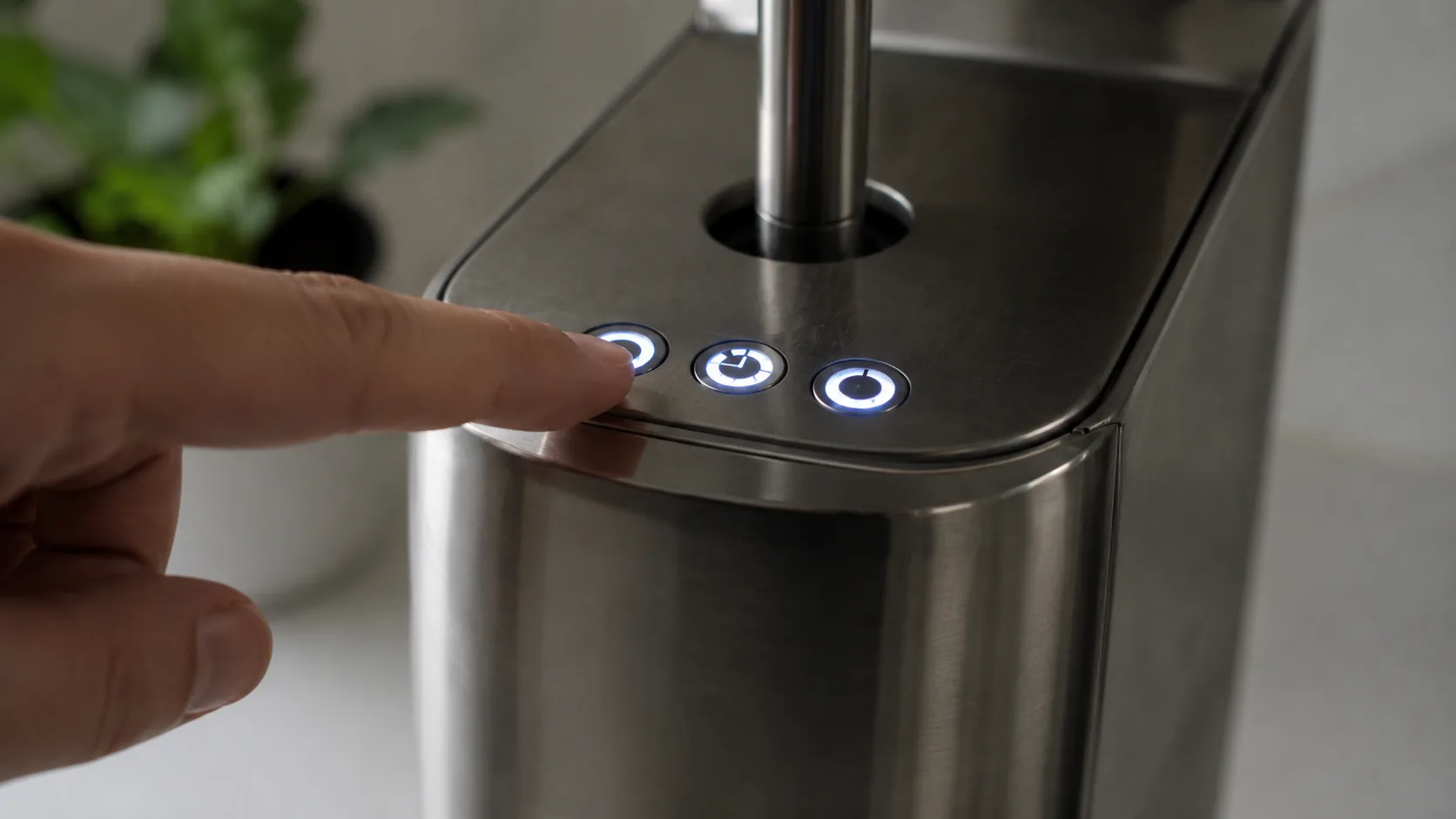
The Dedica keeps things minimal — three backlit buttons and no screen — so it tells you everything through how those buttons behave. That’s elegant once you can read it and confusing the first time they start flashing. The good news: there are only a few patterns, and most of them aren’t faults at all. A flash on start-up is just the thermoblock heating. The two patterns that actually need action are the descale alert and the all-buttons-flashing fault.
Let’s decode the lights, then handle those two.
The light language at a glance
| Pattern | What it means | What to do |
|---|---|---|
| Buttons flash on start-up, then steady | Normal heating | Wait a few seconds (Cause 1) |
| Steam button flashing | Heating to steam temp | Wait for steady (Cause 2) |
| Descale pattern lit/flashing | Descaling due | Run the descale cycle (Cause 3) |
| A cup button flashing while brewing | Volume programming | Set the volume (Cause 4) |
| All buttons flashing, won’t heat | Fault state | Reset & prime (Cause 5) |
Cause 1 — Flashing on start-up (just heating)
What it looks like: You switch on and the buttons flash, then go steady after a few seconds.
Why it happens: The thermoblock is coming up to temperature; steady buttons mean ready.
What to do: Nothing — wait the few seconds for steady lights, then brew. This is normal.
Cause 2 — Steam button flashing
What it looks like: After selecting steam, the steam button flashes.
Why it happens: It’s heating to the higher steam temperature.
What to do: Wait for it to go steady, then froth. If it never reaches steam temperature, prime and descale — see the steam wand guide.
Cause 3 — Descale alert
What it looks like: The buttons light or flash in a particular pattern signalling descaling is due.
Why it happens: The machine has tracked enough use/water to need scale removal — and on a thermoblock machine, scale matters a lot.
The fix:
- Fill the tank with descaling solution and water.
- Put a large container under the spout and steam wand.
- Enter descale mode as your manual describes (commonly holding a button or combination until the lights confirm).
- Run the solution through the coffee outlet and steam wand, then rinse with 2–3 full tanks of fresh water.
See our descaling guide. Don’t skip the rinse, or coffee will taste of descaler.
Cause 4 — A cup button flashing while brewing (volume programming)
What it looks like: The 1-cup or 2-cup button flashes during a shot.
Why it happens: You’re in Flow Stop volume-programming mode.
What to do: Hold the cup button and release when the volume is right to save it; the machine remembers it. To exit without changing, let it finish or power-cycle.
Cause 5 — All buttons flashing, won’t heat (fault state)
What it looks like: Every button flashes continuously and the machine won’t reach temperature or brew.
Why it happens: The Dedica’s general fault signal — usually the tank ran dry or isn’t seated, an airlock, or overheating.
The fix:
- Switch off and unplug for about a minute.
- Refill and firmly seat the tank — never run it dry.
- Power on and prime by running water/steam until it flows steadily (see the priming guide).
If it heats and behaves afterwards, you’re done. If the flashing persists, it may need De’Longhi service.
Common mistakes that make it worse
- Mistaking the normal start-up flash for a fault and unplugging mid-heat.
- Restarting a dry machine without filling the tank, so the fault returns.
- Ignoring the descale alert until scale chokes heat and pressure.
- Skipping the rinse after descaling, leaving a chemical taste.
- Repeatedly power-cycling a genuine fault instead of contacting De’Longhi.
Repair or replace?
Almost every Dedica “error” is either normal heating, a descale reminder, or a fault that a reset and prime clear — all free. The only service scenario is a fault that survives a proper reset, a full tank and a prime, and even then it’s a De’Longhi service call rather than a new machine. Learn the five patterns above and the Dedica stops being mysterious.
Stop it happening again
- Learn the normal start-up flash so you don’t mistake it for an error.
- Never run the tank dry, and prime after refills.
- Run the descale cycle as soon as it’s signalled, and rinse well.
- Re-program the Flow Stop volumes if your shots drift.
- Keep descaler on hand so maintenance is never a reason to delay.
Free: the Espresso Fix-It Cheat Sheet (PDF)
The 1-page printable that takes any fault to its cause, plus the maintenance schedule that prevents most breakdowns. Straight to your inbox.
By subscribing you agree to receive emails from BaristaFix and to our Privacy Policy. No spam — unsubscribe anytime.Frequently asked questions
What do the flashing lights on my De'Longhi Dedica mean?
How do I descale my De'Longhi Dedica?
How do I reset my De'Longhi Dedica?
Why are all the buttons flashing on my Dedica and it won't heat?
Why is the steam button flashing on my Dedica?
The buttons flash when I switch it on, then it works — is that normal?
How do I set or reset the shot volume on my Dedica?
Marco spent twelve years servicing espresso machines — first behind the bench at a specialty café group, then running his own repair workshop. He has stripped down, fixed and reassembled everything from a battered Gaggia Classic to high-end Swiss automatics. He writes the fixes here only after reproducing the fault on a real machine, and he'll always tell you when a repair isn't worth the money.