
Breville Bambino Plus Steam Wand Not Working? Milk Frothing Fixes
 By Marco R. · Lead repair technician Updated June 18, 2026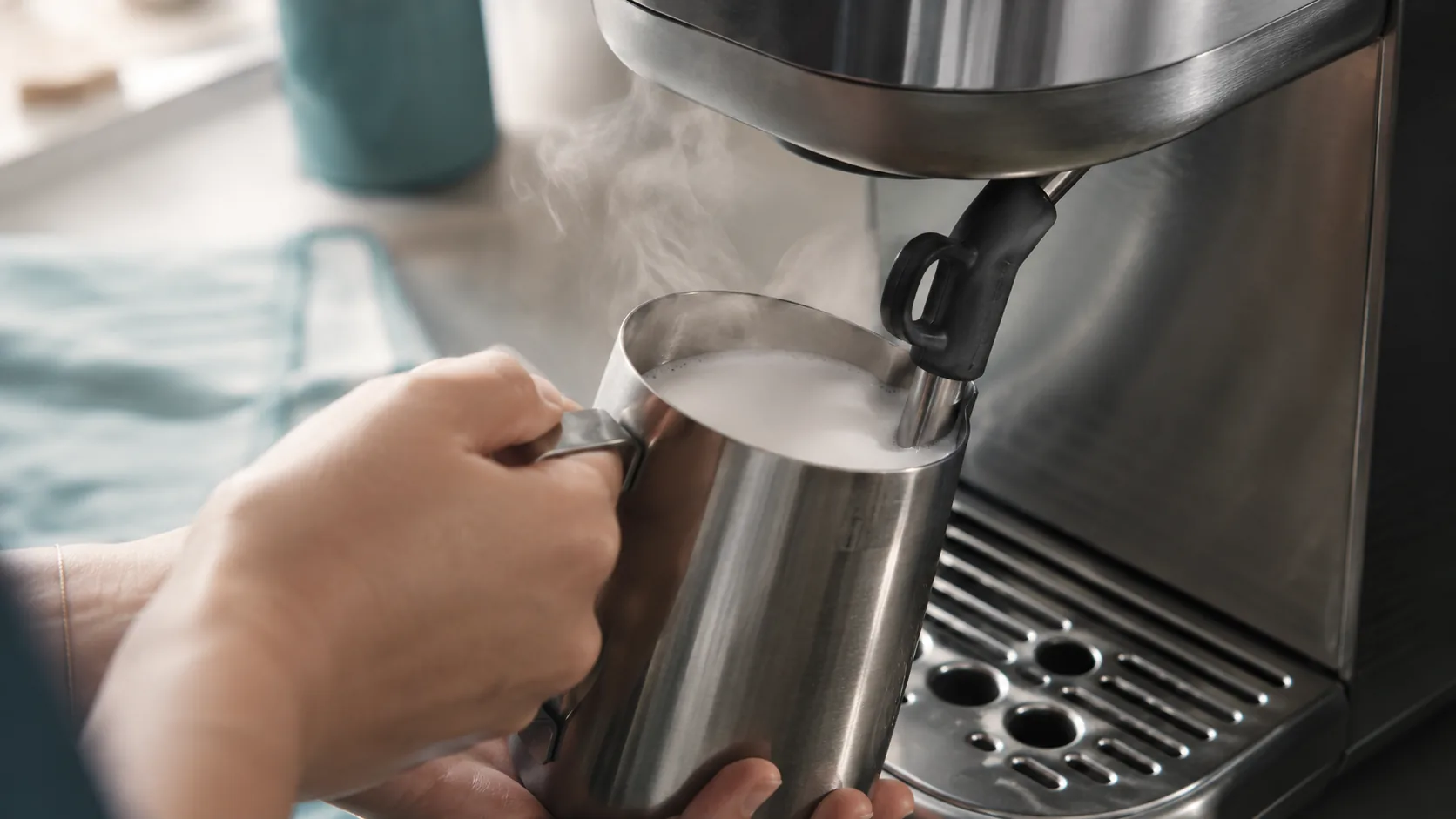
The automatic milk wand is the whole reason many people buy the Bambino Plus over the standard Bambino — set a temperature and a texture, drop the wand in, press steam, and it hands you latte milk without you having to learn the craft. So when it won’t start, stops halfway, or pours out flat, it feels like the machine’s headline trick has broken. Usually it hasn’t: the auto system just needs the right conditions to read the milk, or the steam path needs a quick clean or prime.
Let’s separate the two things people lump together — no steam (a machine/steam-path problem) versus bad foam (a milk and technique problem) — because the fixes are completely different.
First, which problem is it?
- No steam at all, or very weak steam → priming, scale, or a blocked tip (Causes 1–3). A machine problem.
- Steam works, but the auto cycle won’t start or stops too early → milk, jug and sensor conditions (Cause 4).
- Steam works, but the milk comes out flat or too hot → technique and texture settings (Causes 5–6).
- Plant milk won’t froth on auto → use manual mode (Cause 7).
Quick diagnosis
| What you see | Most likely cause | Jump to |
|---|---|---|
| No steam, or it sputters water | Needs priming / scale | Causes 1, 8 |
| Weak steam, milk dried on tip | Blocked steam tip | Cause 3 |
| Auto stops early / won’t start | Milk, jug or sensor conditions | Cause 4 |
| Milk hot but flat, no foam | Texture too low / no air | Causes 5–6 |
| Oat or soy won’t froth on auto | Use manual mode | Cause 7 |
| Steam light flashes, never ready | Heating fault | See error-lights |
Cause 1 — Not primed (no steam after a refill or first use)
What it looks like: You press steam and get little or nothing, often after refilling the tank or first setting the machine up.
Why it happens: The ThermoJet heats water on demand, and air can get trapped in the system, so there’s no water to turn into steam.
The fix:
- Make sure the tank is filled above the minimum and seated firmly.
- Run the hot water function until water flows in a steady stream — this purges the air.
- Now try steam again; it should build properly.
Cause 2 — Always purge first (a second of water is normal)
What it looks like: The wand spits a little water before steam, and you assume it’s faulty.
Why it happens: Condensate collects in the wand between uses. A brief splutter of water at the start is completely normal.
The fix: Before putting the wand into milk, purge it for a second or two until it’s hissing dry steam. Do the same right after steaming to clear milk out. This single habit prevents most blockages and “weak steam” complaints.
Cause 3 — Blocked steam tip (milk baked in the holes)
What it looks like: Weak, hissing, uneven steam — or none — with visible dried milk on the tip.
Why it happens: Milk left on or in the tip dries into the small holes and chokes the steam. It’s the single most common steam-wand fault on any machine.
How to confirm: Inspect the tip; the holes look crusted or partially closed.
The fix:
- Let the wand cool, then wipe it.
- Clear each hole with the pin on the supplied cleaning tool (or a straightened paperclip).
- For stubborn blockage, remove the tip and soak it in hot water with a little milk-system cleaner, then clear the holes again.
- Reattach and purge to confirm strong, even steam.
Cause 4 — Auto-froth conditions not met (stops early or won’t start)
What it looks like: Steam clearly works, but the automatic cycle ends almost immediately, won’t begin, or massively under- or over-heats the milk.
Why it happens: The Plus’s auto texturing relies on a temperature sensor reading the milk. If it can’t get a sensible reading, it bails out. The usual reasons: milk that isn’t cold to start, the wrong amount of milk, an unsuitable jug, or the tip not properly submerged.
How to confirm: It works fine in manual mode but the auto cycle behaves erratically.
The fix:
- Start with cold, fresh milk straight from the fridge.
- Use a suitable stainless steel jug and fill milk between the min and max marks — too little or too much both confuse the sensor.
- Position the jug so the wand tip is submerged as the cycle expects (tip just below the surface to start).
- Set your temperature and texture, then press steam and let it run to its automatic stop.
Cause 5 — Milk coming out flat (not enough air)
What it looks like: The milk gets hot but stays thin and flat, with no microfoam.
Why it happens: Foam is air whipped into the milk at the start. If the tip sits too deep the whole time, it only heats the milk without introducing air.
The fix: At the start, keep the tip just below the surface so it pulls in air — you’ll hear a gentle hissing, paper-tearing sound for a couple of seconds — then let the milk rise and the tip sink slightly to heat and polish the texture. On auto, raising the texture setting tells it to introduce more air.
Cause 6 — Milk too hot or texture wrong (settings)
What it looks like: Scalded, bitter-tasting milk, or texture that’s never quite right.
Why it happens: The temperature and texture buttons are doing exactly what you set — and the default may not match your taste or milk.
The fix: Drop the temperature setting if milk tastes scalded (around 60–65 °C / 140–150 °F is plenty for most drinks), and adjust the texture up for more foam (cappuccino) or down for flatter milk (latte). Dial it in over a few drinks.
Cause 7 — Plant milk on auto (use manual mode)
What it looks like: Oat, soy or almond milk won’t froth on auto, or the cycle stops early.
Why it happens: The automatic temperature sensing is calibrated around dairy; plant milks behave differently and can fool it.
The fix: Switch to manual steaming for plant milk, and use a barista-edition oat/soy/almond milk (formulated to foam). Introduce air at the surface for a couple of seconds, submerge to heat, and stop it yourself before it overheats. Barista plant milks make a dramatic difference here.
Cause 8 — Scale in the steam path
What it looks like: Gradually weakening steam, more spitting, longer to build pressure — often with the descale light showing.
Why it happens: Limescale narrows the ThermoJet and steam pathways, choking pressure.
The fix: Run a full descale cycle with a proper descaler — see our descaling guide. In hard-water areas this is essential maintenance and it restores steam power along with flow.
Cause 9 — Won’t reach steam temperature at all (heating fault)
What it looks like: You’ve primed and descaled, but the machine never gets to steam temperature — lights flash and no real steam ever arrives.
Why it happens: That’s a heating/electronics issue rather than milk technique.
The fix: Power-cycle the machine (off at the wall for a minute, ensure water in the tank, back on). If it still won’t reach steam temperature, see the error-lights guide; a persistent fault may need Breville service.
Common mistakes that make it worse
- Never purging or wiping the wand, so milk bakes into the tip and chokes the steam.
- Starting with warm or old milk, which throws off the auto sensor and foams poorly.
- Over- or under-filling the jug, so the sensor can’t read the milk.
- Expecting auto-froth to handle plant milk — use manual mode instead.
- Keeping the tip buried the whole time, so you heat the milk but never aerate it.
Repair or replace?
Steam-wand problems on a Bambino Plus are almost always cleaning, priming, technique or descaling — no parts, no cost. The removable tip is cheap if it’s truly damaged. A genuine failure to ever reach steam temperature after priming and descaling is the only scenario that points to service, and if you’re in warranty that’s a call to Breville, not a new machine. Everything else you can fix at the counter in minutes.
Stop it happening again
- Purge and wipe the wand after every use — the one habit that prevents blockages.
- Steam with cold, fresh milk in a correctly filled stainless jug.
- Use manual mode and barista plant milks for oat, soy or almond.
- Descale on schedule to keep steam pressure strong.
- Dial in your temperature and texture once, then enjoy the consistency.
Free: the Espresso Fix-It Cheat Sheet (PDF)
The 1-page printable that takes any fault to its cause, plus the maintenance schedule that prevents most breakdowns. Straight to your inbox.
By subscribing you agree to receive emails from BaristaFix and to our Privacy Policy. No spam — unsubscribe anytime.Frequently asked questions
Why is my Breville Bambino Plus not steaming milk?
Why won't my Bambino Plus auto-froth (it stops too early or won't start)?
How do I clean and unblock the Bambino Plus steam wand?
Can I steam oat or other plant milk on the Bambino Plus?
Why is my Bambino Plus milk not frothy / coming out flat?
Why does my Bambino Plus steam wand sputter or spit water?
Why is there no steam pressure on my Bambino Plus at all?
Marco spent twelve years servicing espresso machines — first behind the bench at a specialty café group, then running his own repair workshop. He has stripped down, fixed and reassembled everything from a battered Gaggia Classic to high-end Swiss automatics. He writes the fixes here only after reproducing the fault on a real machine, and he'll always tell you when a repair isn't worth the money.