
Philips 3200 Warning Lights & Icons Explained (and How to Fix Each)
 By Marco R. · Lead repair technician Updated June 18, 2026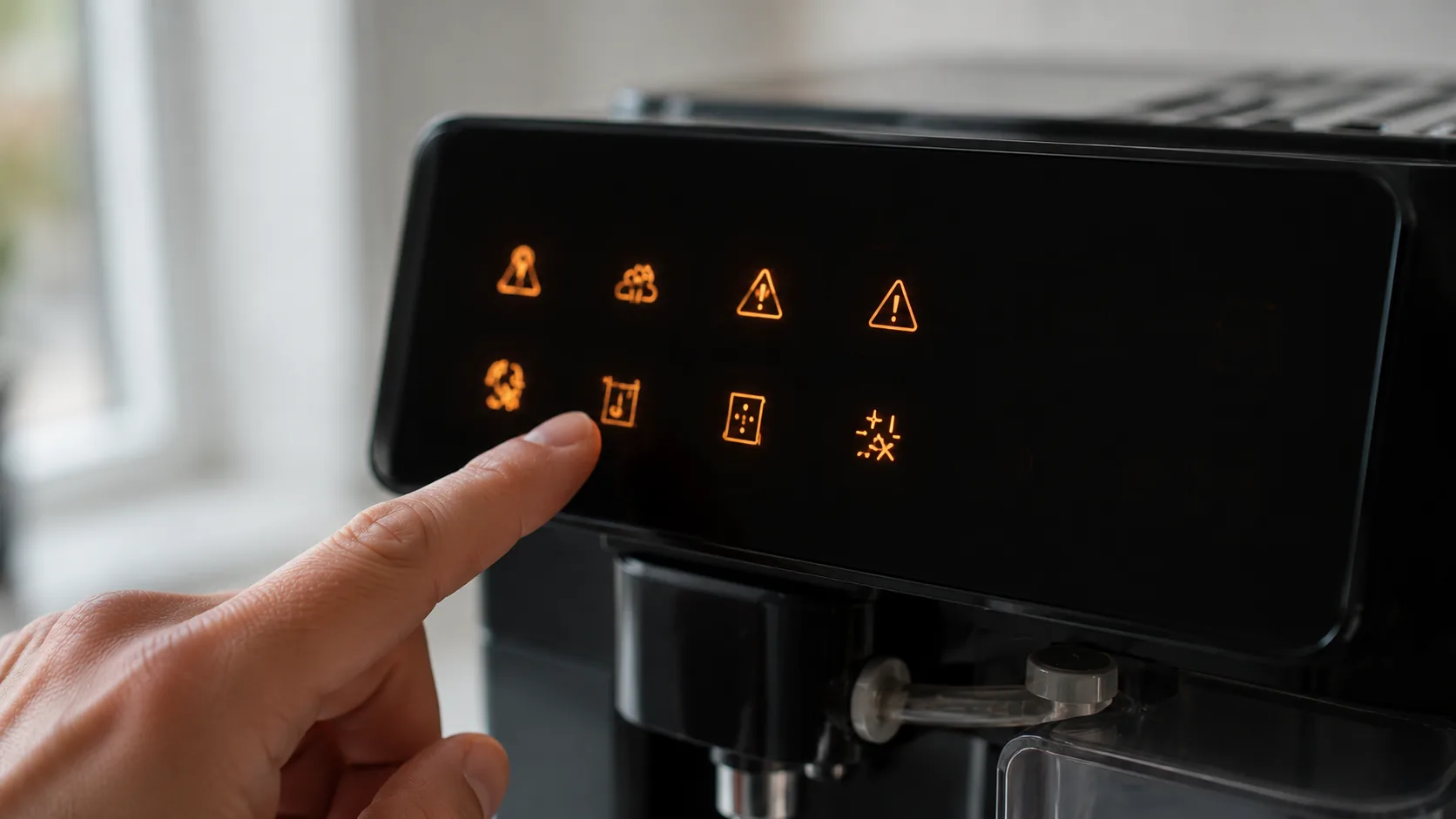
The Philips 3200’s icon panel is genuinely helpful once you can read it — but the first time a red triangle starts flashing, it feels like the machine has thrown a fault. The reassuring news: almost every icon on a 3200 LatteGo is a routine prompt, not a breakdown. It’s telling you to reseat the brew group, descale, change the filter, or empty a drawer. Learn the handful of symbols and the machine stops being mysterious.
Let’s decode them all, then walk through the two that confuse people most: the warning triangle and the maintenance prompts (Calc Clean and AquaClean).
The icons at a glance
| Icon | What it means | What to do |
|---|---|---|
| Warning triangle | Brew group / drawer issue | Reseat brew group; check drawers (Cause 1) |
| Calc Clean | Descaling due | Run the Calc Clean cycle (Cause 2) |
| AquaClean | Replace water filter | Fit and activate a new filter (Cause 3) |
| Water tank | Tank empty or not seated | Refill and seat the tank (Cause 4) |
| Beans | Out of beans / grinder | Refill the bean hopper (Cause 5) |
| Grounds / drawer | Puck container full | Empty with machine on (Cause 6) |
| All icons flashing at start-up | Normal heating / rinse | Wait for ready (Cause 7) |
Cause 1 — The flashing warning triangle (brew group)
What it looks like: A general warning symbol flashes and the machine won’t brew.
Why it happens: It most often means the brew group is missing, not clicked in, or needs cleaning — or that the drip tray or grounds drawer isn’t seated. The brew group is the heart of the machine and it has to be correctly in place to run.
The fix:
- Switch the machine off and open the side door.
- Remove the brew group (press the release and pull it straight out).
- Rinse it under the tap (no detergent), let it drain, and check it moves freely.
- Make sure the drip tray and grounds container are properly fitted.
- Slide the brew group back until it clicks firmly into place, close the door, and power on.
Reseating the brew group clears this warning the great majority of the time, and a weekly rinse stops it recurring.
Cause 2 — Calc Clean (descaling due)
What it looks like: The Calc Clean icon appears, prompting a descale.
Why it happens: The machine tracks usage and water and has calculated that limescale needs removing.
The fix: Run the full Calc Clean cycle with Philips or a compatible descaler and plenty of fresh water — it takes around 30 minutes and the machine guides you through it. Don’t put it off: heat, flow and milk steaming all suffer until it’s done, and long neglect shortens the machine’s life. See our descaling guide.
Cause 3 — AquaClean (replace the water filter)
What it looks like: The AquaClean icon shows, asking for a new filter.
Why it happens: AquaClean filters cut scale so you can skip descaling for a set number of cups (up to around 5000 across eight filters, if you always replace on time). When one is exhausted, the machine asks for a fresh one.
The fix: Fit a new AquaClean filter — shake and soak it as instructed, insert it in the tank, and activate it through the menu so the counter resets. If you choose not to use filters, you’ll simply need to run Calc Clean more often instead.
Cause 4 — Water tank icon
What it looks like: The tank symbol lights.
Why it happens: The tank is empty, low, or not seated so the float can’t register water.
The fix: Refill the tank with fresh water and push it firmly into place. If the icon stays on with a full tank, reseat it and check the float area for debris.
Cause 5 — Beans icon
What it looks like: The beans symbol lights, often after a grind that produced little coffee.
Why it happens: The hopper is empty or beans aren’t feeding the grinder.
The fix: Refill the bean hopper. If it’s full but still flagging, beans may be bridging above the grinder (especially oily beans) — give the hopper a gentle shake. Persistent grinder issues are covered separately in the machine’s grinder guide.
Cause 6 — Grounds / drawer icon
What it looks like: The machine asks you to empty the grounds, sometimes when it doesn’t look full.
Why it happens: It counts pucks rather than sensing the level, and only registers emptying if you remove the drawer while the machine is on.
The fix: With the machine switched on, pull out the grounds drawer, wait a few seconds, then refit it so the counter resets. Emptying it while the machine is off won’t register, and the prompt will stay.
Cause 7 — All icons flashing at start-up (normal)
What it looks like: The icons light or flash when you first switch on.
Why it happens: The machine is powering up, heating, and running its automatic rinse — this is normal.
The fix: Nothing — wait for it to finish and the display to settle to ready. Only act if a specific icon stays lit afterwards.
Common mistakes that make it worse
- Emptying the grounds drawer with the machine off, so the counter never resets.
- Ignoring Calc Clean, letting scale choke heat, flow and steam.
- Not clicking the brew group fully in, leaving the warning triangle on.
- Skipping AquaClean activation in the menu after fitting a filter, so it isn’t recognised.
- Mistaking the normal start-up flash for a fault and power-cycling repeatedly.
Repair or replace?
Practically every Philips 3200 warning is maintenance, not failure — reseat a part, descale, change a filter, empty a drawer. All free or cheap, all owner-fixable. The only replace-or-service scenario is persistent all-icon flashing that never clears after you’ve addressed the specific prompts and reseated the brew group — and that’s a warranty or service-centre call, not a new machine. Learn the icons above and the panel becomes an asset rather than a worry.
Stop it happening again
- Rinse the brew group weekly and refit it until it clicks.
- Run Calc Clean as soon as it asks, and keep AquaClean filters fresh (and activated).
- Empty the grounds drawer with the machine on so it registers.
- Keep the tank filled and seated and the drip tray in place.
- Treat the start-up flash as normal — only chase an icon that stays lit.
Free: the Espresso Fix-It Cheat Sheet (PDF)
The 1-page printable that takes any fault to its cause, plus the maintenance schedule that prevents most breakdowns. Straight to your inbox.
By subscribing you agree to receive emails from BaristaFix and to our Privacy Policy. No spam — unsubscribe anytime.Frequently asked questions
What does the flashing warning triangle mean on my Philips 3200?
What does the Calc Clean light mean on the Philips 3200?
What is the AquaClean light on my Philips 3200?
How do I reset my Philips 3200 LatteGo?
Why does my Philips 3200 say empty the grounds when it's not full?
Why are all the icons lit or flashing when I turn it on?
Marco spent twelve years servicing espresso machines — first behind the bench at a specialty café group, then running his own repair workshop. He has stripped down, fixed and reassembled everything from a battered Gaggia Classic to high-end Swiss automatics. He writes the fixes here only after reproducing the fault on a real machine, and he'll always tell you when a repair isn't worth the money.