
Philips 3200 Not Pumping Water or Making Coffee? Priming & Flow Fixes
 By Marco R. · Lead repair technician Updated June 18, 2026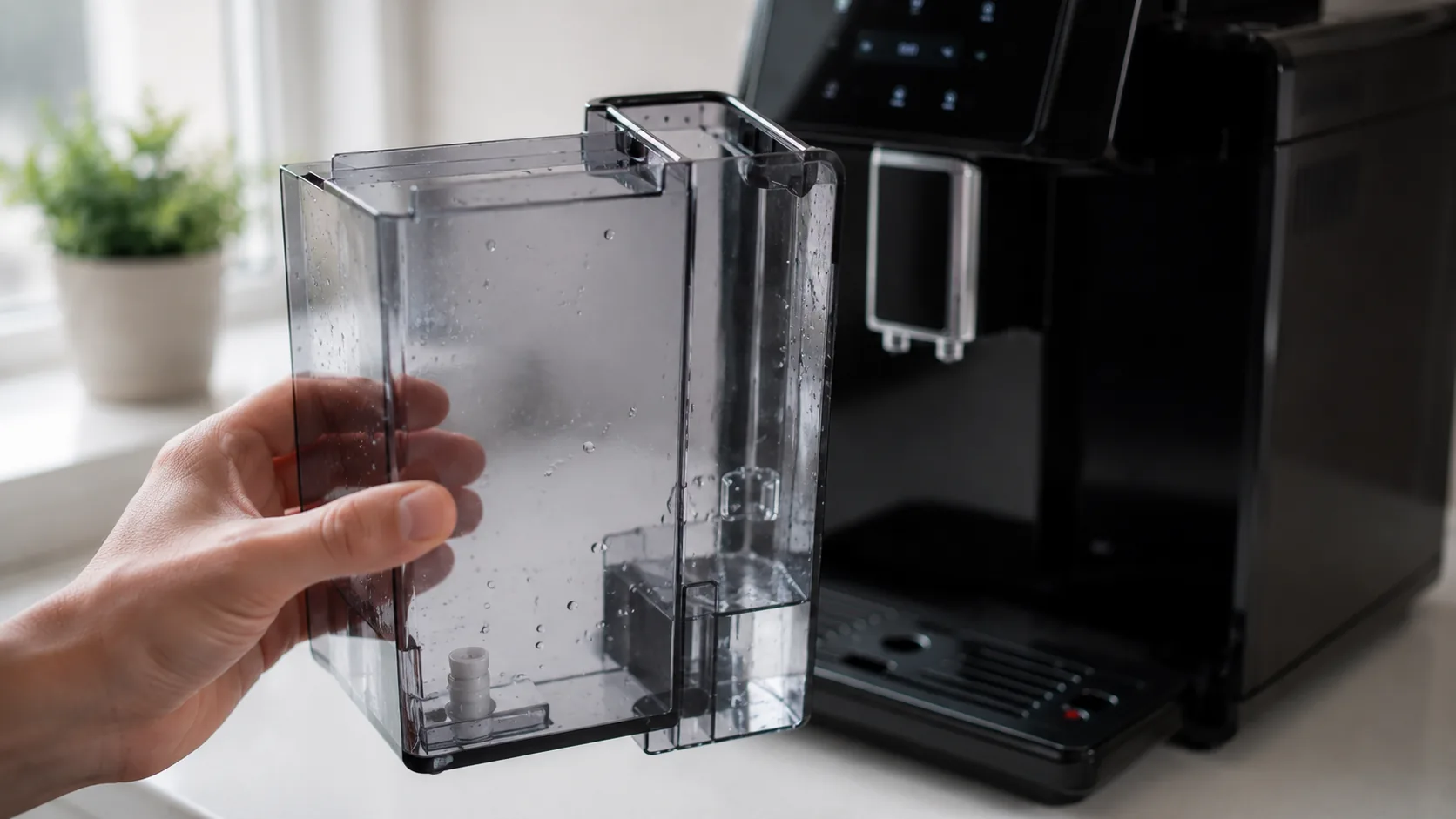
A Philips 3200 that whirrs away but won’t push out water looks like a dead pump — and it almost never is. These automatics are prone to trapping air in the water circuit, and the single most common trigger is fitting a new AquaClean filter that wasn’t soaked first. Air gets in, the pump loses its grip on the water, and you get buzzing with little or nothing in the cup. The cure isn’t a repair; it’s priming, and it takes under a minute. Let’s clear the air first, then rule out the tank, filter, brew group and scale.
Start here: is it an airlock?
The tell-tale sign is loud buzzing with little or no water — the pump is running, just moving air. That’s not a broken pump, and priming almost always fixes it.
Before anything else: make sure there’s water in the tank and that it’s pushed firmly home so the float and valve engage. An empty or half-seated tank causes exactly the same symptom.
Quick diagnosis
| What you see | Most likely cause | Jump to |
|---|---|---|
| No water right after a new filter | AquaClean airlock | Cause 1 |
| Buzzing, tank looks fine | Needs priming | Cause 2 |
| Tank icon on / float stuck | Tank not seated | Cause 3 |
| Weak flow over time, Calc Clean on | Scale | Cause 5 |
| Heats but won’t pour coffee | Brew group clogged | Cause 4 |
Cause 1 — AquaClean filter airlock (the most common trigger)
What it looks like: Flow drops or stops right after fitting a new AquaClean filter.
Why it happens: A new filter holds air. If it isn’t prepared correctly, that air goes straight into the circuit and breaks the pump’s flow.
The fix:
- Prepare the filter properly: shake it for a few seconds, then soak it upside down in water until no more bubbles escape.
- Insert it in the tank and seat the tank firmly.
- Dispense hot water repeatedly to push trapped air through until it flows steadily.
- If it’s stubborn, remove the filter, prime the machine with hot water, then refit the properly soaked filter.
Cause 2 — Air in the circuit (prime it)
What it looks like: Buzzing with no or sputtering water, often after refilling or the machine standing empty.
Why it happens: Air trapped anywhere in the circuit stops the pump drawing water.
The fix: Fill and seat the tank, put a cup under the spout, and dispense hot water (or run the menu’s rinse/priming step) until water comes out in a steady stream. A couple of attempts may be needed to clear it.
Cause 3 — Tank not seated or float stuck
What it looks like: Buzzing with no water, or the tank icon stays on, even though the tank has water.
Why it happens: The tank feeds the machine through a valve and uses a float the machine reads. If the tank sits proud or the float sticks, no water reaches the pump.
The fix: Remove and refit the tank firmly until it’s flush. Check the float moves freely and clear any debris or scale around the valve and float area.
Cause 4 — Clogged brew group (heats but won’t pour)
What it looks like: The machine heats and sounds normal but no coffee or water comes through.
Why it happens: The removable brew group can clog with old grounds, blocking the water path even when the pump and heater are fine.
The fix: Switch off, remove the brew group, rinse it under the tap (no detergent), let it drain, and make sure it moves freely before clicking it back in until it locks. A weekly rinse prevents this — see the warning-icons guide if the warning triangle is also showing.
Cause 5 — Limescale narrowing the waterways
What it looks like: Flow that gradually weakened and won’t fully return with priming, usually with the Calc Clean icon on.
Why it happens: Scale builds up inside the machine and narrows its passages until flow drops.
The fix: Run the full Calc Clean descale cycle with a proper descaler — see our descaling guide. In hard-water areas this is the key recurring maintenance, and keeping AquaClean filters fresh slows scale between descales.
Common mistakes that make it worse
- Fitting a new AquaClean filter without soaking it, then wondering why the water stopped.
- Running the pump repeatedly with no water, risking real damage.
- Not seating the tank firmly, so the float and valve never engage.
- Never rinsing the brew group, so it clogs and blocks the flow.
- Ignoring Calc Clean until scale chokes the waterways.
Repair or replace?
This is almost never a replace situation. Priming is free, preparing the filter correctly is free, reseating the tank is free, and rinsing the brew group is free; descaler and filters are cheap, and even the brew group is an inexpensive serviceable part. Only a genuine pump failure — rare, and usually caused by running dry — points to service, which is a warranty call or an affordable shop repair rather than a new machine. Work through priming, the filter and the brew group first; they fix the overwhelming majority of cases.
Stop it happening again
- Always shake and soak a new AquaClean filter before fitting it.
- Prime with hot water after refilling, after a filter change, or after the machine stands empty.
- Keep the tank filled and firmly seated, with a free-moving float.
- Rinse the brew group weekly so it never blocks the flow.
- Run Calc Clean on time and keep filters fresh to protect the waterways.
Free: the Espresso Fix-It Cheat Sheet (PDF)
The 1-page printable that takes any fault to its cause, plus the maintenance schedule that prevents most breakdowns. Straight to your inbox.
By subscribing you agree to receive emails from BaristaFix and to our Privacy Policy. No spam — unsubscribe anytime.Frequently asked questions
Why is my Philips 3200 not pumping water?
I just fitted a new AquaClean filter and now there's no water — why?
How do I prime my Philips 3200 LatteGo?
My Philips 3200 pump is loud but no water comes out — is the pump broken?
Why won't my Philips 3200 dispense coffee even though it heats up?
Can scale stop my Philips 3200 pumping water?
Marco spent twelve years servicing espresso machines — first behind the bench at a specialty café group, then running his own repair workshop. He has stripped down, fixed and reassembled everything from a battered Gaggia Classic to high-end Swiss automatics. He writes the fixes here only after reproducing the fault on a real machine, and he'll always tell you when a repair isn't worth the money.