
Philips 3200 Grinder Not Grinding? Beans Not Feeding & Jam Fixes
 By Marco R. · Lead repair technician Updated June 18, 2026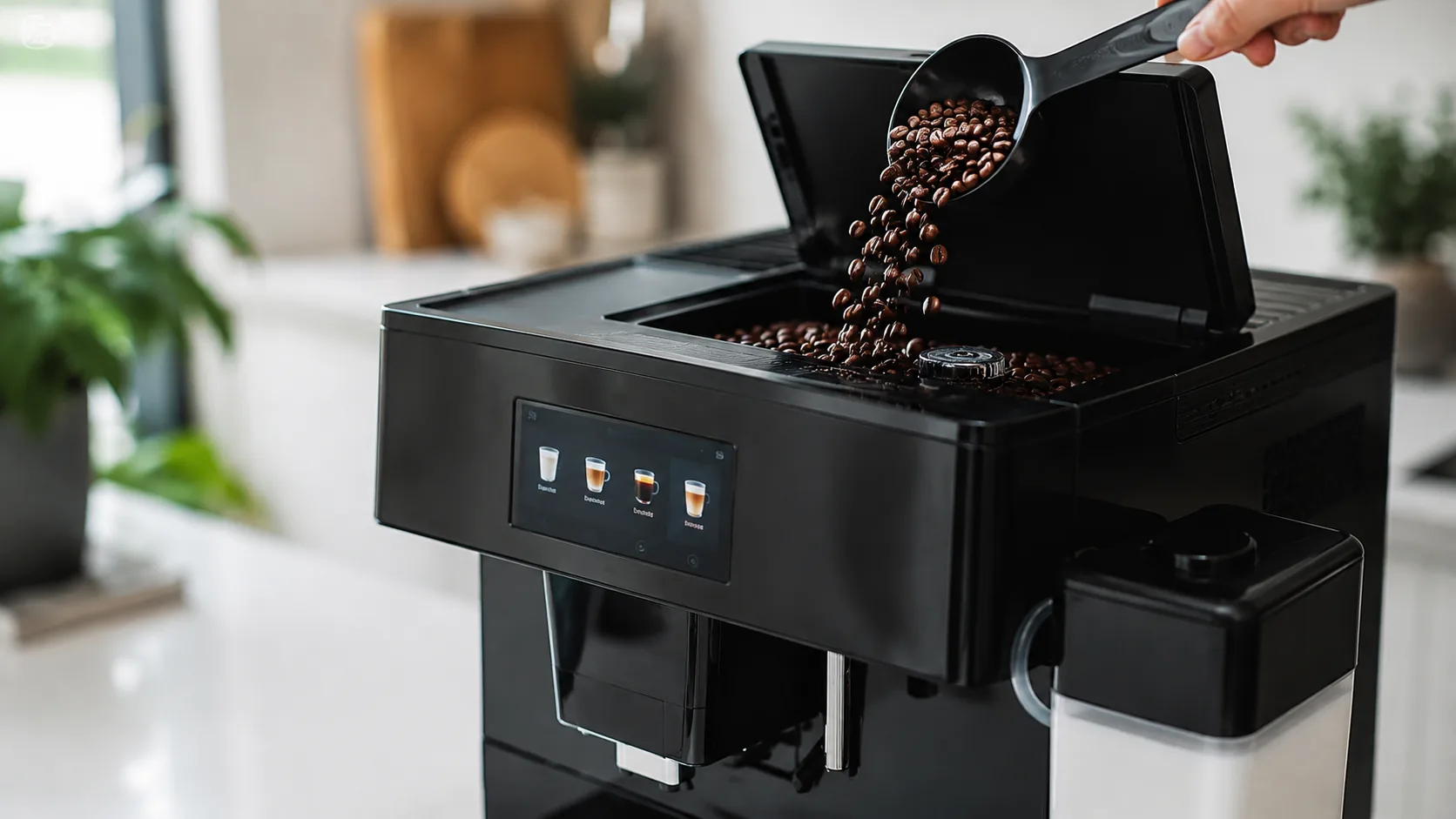
A bean-to-cup machine lives or dies by its grinder, so “the grinder’s not grinding” feels serious. The good news: on the Philips 3200 it’s almost never the burrs themselves. Far more often the beans simply aren’t reaching the burrs — they bridge and arch over the opening — or something that isn’t a coffee bean has found its way in and jammed things up. Both are quick fixes once you know what’s happening.
There’s also one rule that matters more than any fix here, so let’s get it out of the way first: only ever change the grind setting while the grinder is actually running. Adjusting it when stopped can damage the ceramic burrs. Keep that in mind and the 3200’s grinder will run for years.
First, what’s actually happening?
- Grinder spins, weak or no coffee → beans not feeding (bridging) or empty hopper (Cause 1).
- Loud rattle or grinding noise → a foreign object jammed in the burrs (Cause 2).
- Grinds fine but coffee is watery/short → grind too coarse, or brew group clogged (Causes 3, 5).
- Beans icon on the panel → feeding/empty hopper (Cause 1) — see the error-lights guide.
Quick diagnosis
| What you see | Most likely cause | Jump to |
|---|---|---|
| Grinder runs, little/no coffee | Beans bridging / empty | Cause 1 |
| Loud rattle or grinding | Foreign object jammed | Cause 2 |
| Coffee weak and fast | Grind too coarse | Cause 3 |
| Coffee chokes / very slow | Grind too fine | Cause 4 |
| Grinds but no coffee through | Brew group clogged | Cause 5 |
Cause 1 — Beans not feeding (bridging)
What it looks like: You hear the grinder spin but get little or no coffee, and the beans icon may appear even with beans in the hopper.
Why it happens: Oily, sticky or stale beans clump together and form a “bridge” — an arch over the grinder opening — so none drop into the burrs.
How to confirm: Look in the hopper: beans sitting in a dome with a gap underneath, or stuck to the walls, is bridging.
The fix:
- Tap or gently shake the hopper, or stir the beans, to break the bridge.
- Refill if low — grinders feed better with a reasonably full hopper.
- Switch to fresher, less oily beans (very dark, shiny roasts bridge worst).
- Wipe oily residue from the hopper occasionally and keep the lid on.
Cause 2 — Foreign object jammed in the burrs
What it looks like: A sudden loud rattle, grinding or clunking noise, often with the grinder stalling.
Why it happens: A small stone or piece of debris came in with the beans, or something other than a bean got into the hopper. Ceramic burrs are hard but a foreign object will jam them.
The fix:
- Turn the machine off.
- Empty the hopper and vacuum it out.
- Clear the obstruction from the burr opening (follow Philips’ grinder-cleaning steps for your model).
- Refill with clean beans and test.
Cause 3 — Grind set too coarse (weak, fast coffee)
What it looks like: Coffee runs fast and tastes weak and watery.
Why it happens: Too coarse a grind gives the water an easy path, under-extracting the coffee.
The fix: Turn the grind adjuster to a lower (finer) number, one step at a time — while the grinder is running. Brew a couple of cups between changes so the new setting clears through.
Cause 4 — Grind set too fine (choking, very slow)
What it looks like: Coffee barely trickles, or the machine struggles and the cup is short.
Why it happens: Too fine a grind packs the puck so water can’t pass.
The fix: Turn the adjuster to a higher (coarser) number, one step at a time, while grinding. Again, give it a few brews to settle.
Cause 5 — Grinds fine but no coffee through (brew group)
What it looks like: You can hear it grinding normally, but little coffee reaches the cup.
Why it happens: A brew group clogged with old grounds can block the flow even when the grinder is fine.
The fix: Switch off, remove the brew group, rinse it under the tap (no detergent), let it dry, and refit until it clicks. A rinse on a hot-water/rinse function will confirm flow is restored. See the error-lights guide if the warning triangle is also showing.
Common mistakes that make it worse
- Adjusting the grind while the grinder is stopped — the one thing that can damage the burrs.
- Putting pre-ground or non-beans in the hopper, jamming the grinder.
- Running very oily dark roasts without shaking the hopper or wiping the oil.
- Changing grind several steps at once instead of one step with brews between.
- Assuming the burrs are dead before clearing feeding and jams.
Repair or replace?
This is firmly a fix-it situation, and usually free: clear a bridge, remove a jam, adjust the grind correctly, or rinse the brew group. The ceramic burrs are durable and rarely the real culprit, and the brew group is a cheap serviceable part if needed. Genuine grinder-unit failure is uncommon and, if you ever reach it, a Philips service job — not a reason to replace the machine. Always work through feeding, jams and grind setting first.
Stop it happening again
- Only adjust the grind while the grinder is running.
- Put only clean roasted beans in the hopper — never pre-ground or foreign objects.
- Prefer fresher, less oily beans, keep the lid on, and shake the hopper if beans bridge.
- Rinse the brew group monthly so flow stays clear.
- Wipe oily residue from the hopper now and then to keep beans feeding smoothly.
Free: the Espresso Fix-It Cheat Sheet (PDF)
The 1-page printable that takes any fault to its cause, plus the maintenance schedule that prevents most breakdowns. Straight to your inbox.
By subscribing you agree to receive emails from BaristaFix and to our Privacy Policy. No spam — unsubscribe anytime.Frequently asked questions
Why is my Philips 3200 grinder not grinding?
Why does the grinder run but no coffee comes out?
How do I adjust the grind on my Philips 3200?
Why is my Philips 3200 grinder so loud or rattling?
Can I put pre-ground coffee in the Philips 3200 bean hopper?
My beans aren't feeding into the grinder — what do I do?
Are the ceramic burrs on the Philips 3200 replaceable?
Marco spent twelve years servicing espresso machines — first behind the bench at a specialty café group, then running his own repair workshop. He has stripped down, fixed and reassembled everything from a battered Gaggia Classic to high-end Swiss automatics. He writes the fixes here only after reproducing the fault on a real machine, and he'll always tell you when a repair isn't worth the money.